Lookr
Lookr
A photo inspiration app powered by AI
A photo inspiration app powered by AI
User research
Design strategy
Usability testing
User research
Design strategy
Usability testing
My starting point
was simple
My starting point was simple
Understanding
the problem
Understanding the problem
Every creator chases that perfect shot, but turning inspiration into action is not always easy. Saved ideas do not always work when you need them, and switching between apps can break your creative rhythm. I wanted to understand why something so enjoyable could feel frustrating. After talking with creators about what they struggle with, I designed and tested simpler ways to help them stay inspired. Most people in my test group said they would use the app in their real shoots.
Every creator chases that perfect shot, but turning inspiration into action is not always easy. Saved ideas do not always work when you need them, and switching between apps can break your creative rhythm. I wanted to understand why something so enjoyable could feel frustrating. After talking with creators about what they struggle with, I designed and tested simpler ways to help them stay inspired. Most people in my test group said they would use the app in their real shoots.
This is where
the idea came
from
This is where the idea came from
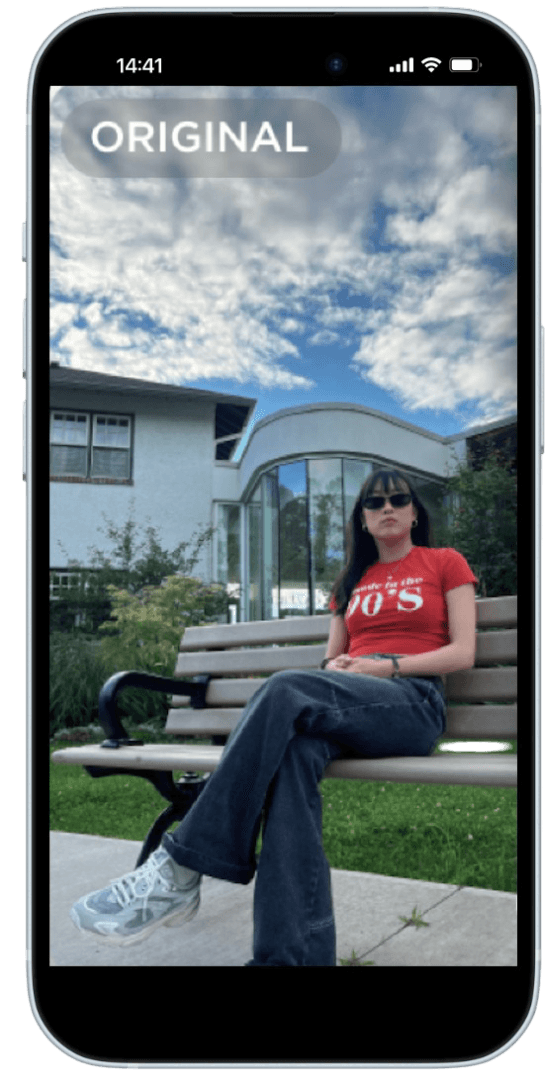
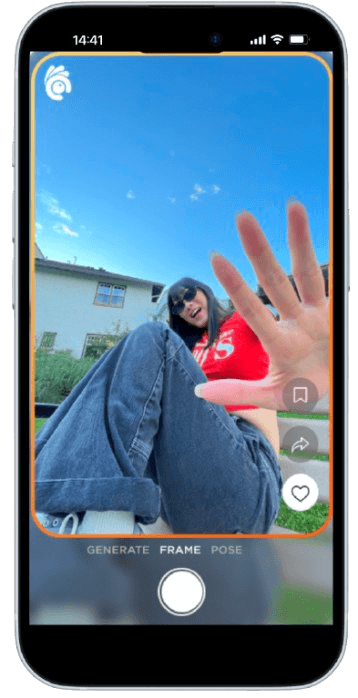
Inspiration can strike anytime, but for photographers and influencers always hunt for the perfect shot, but acting on inspiration isn’t easy. Saved ideas don’t always match the moment, and switching between apps can break their creative flow. I wanted to fix that. What if inspiration could meet the moment? A tool that suggests real-time photo ideas based on where you are could make shooting feel effortless again.
Inspiration can strike anytime, but for photographers and influencers always hunt for the perfect shot, but acting on inspiration isn’t easy. Saved ideas don’t always match the moment, and switching between apps can break their creative flow. I wanted to fix that. What if inspiration could meet the moment? A tool that suggests real-time photo ideas based on where you are could make shooting feel effortless again.
What worked
What worked
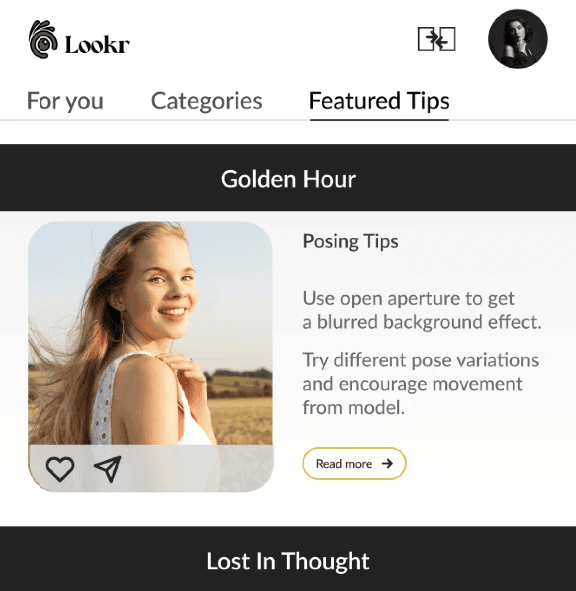

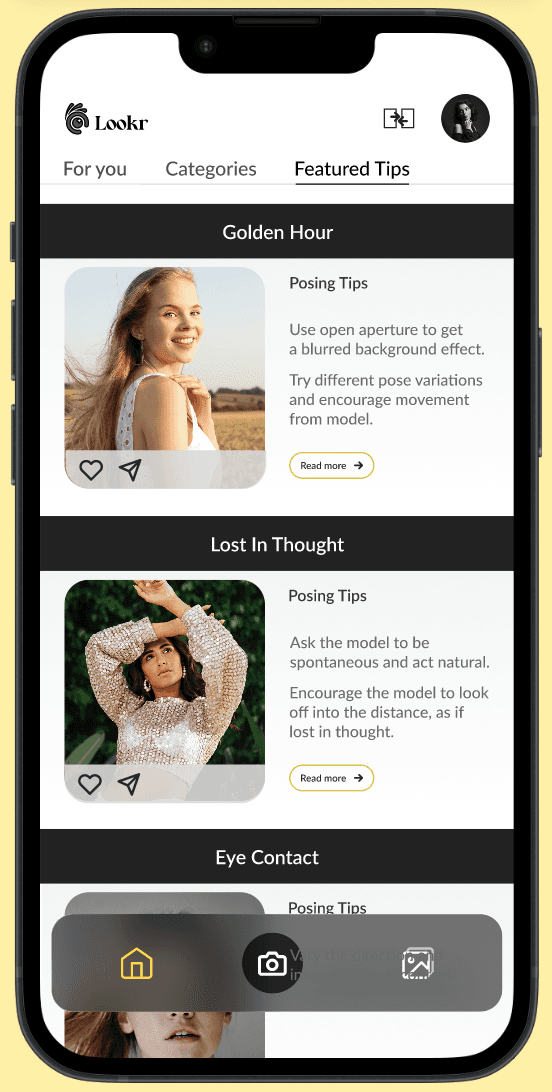
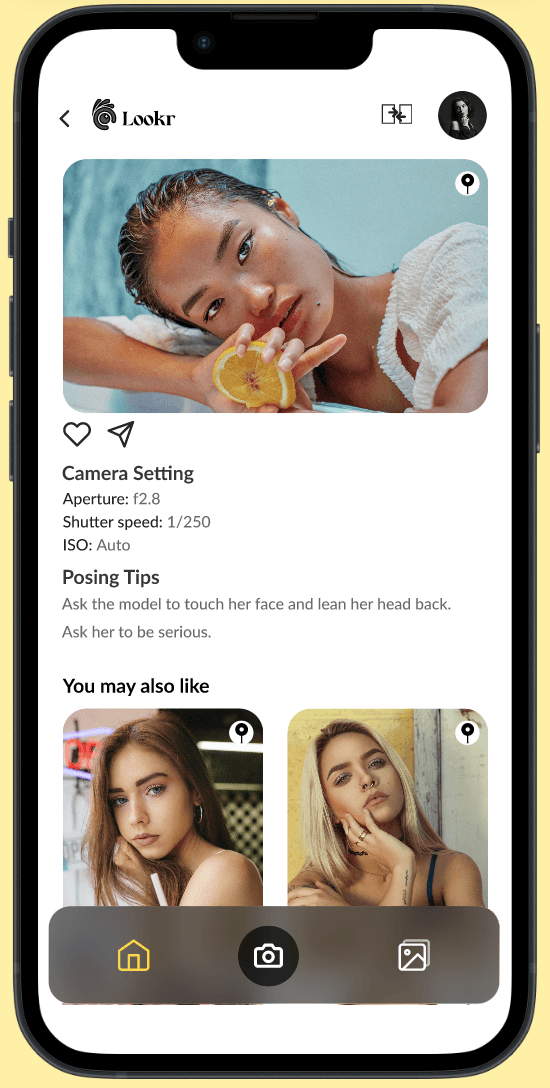
Featured tips to educate
A scroll of small posing and framing tips that spark quick ideas before the next shot.
AI Suggestions for inspiration
AI based inspiration that matches the user’s surroundings, helping them discover photo ideas that feel in sync with the moment.
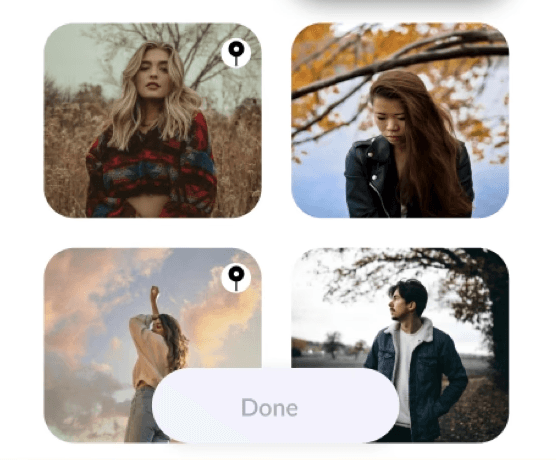
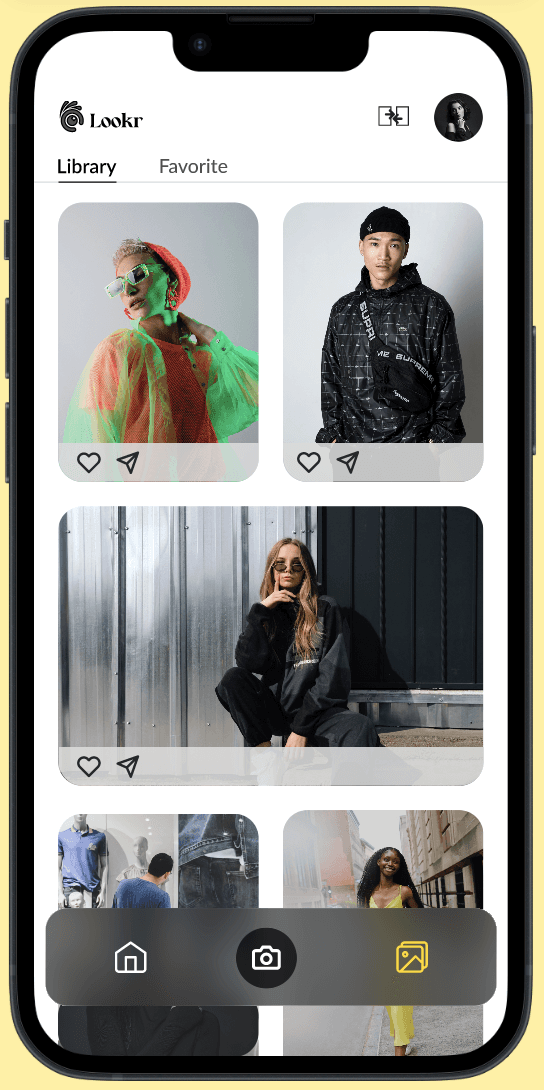
Pinned images for guidance
Keep user inspiration beside the lens, pin their favorite reference photos and shoot with ease and confidence.
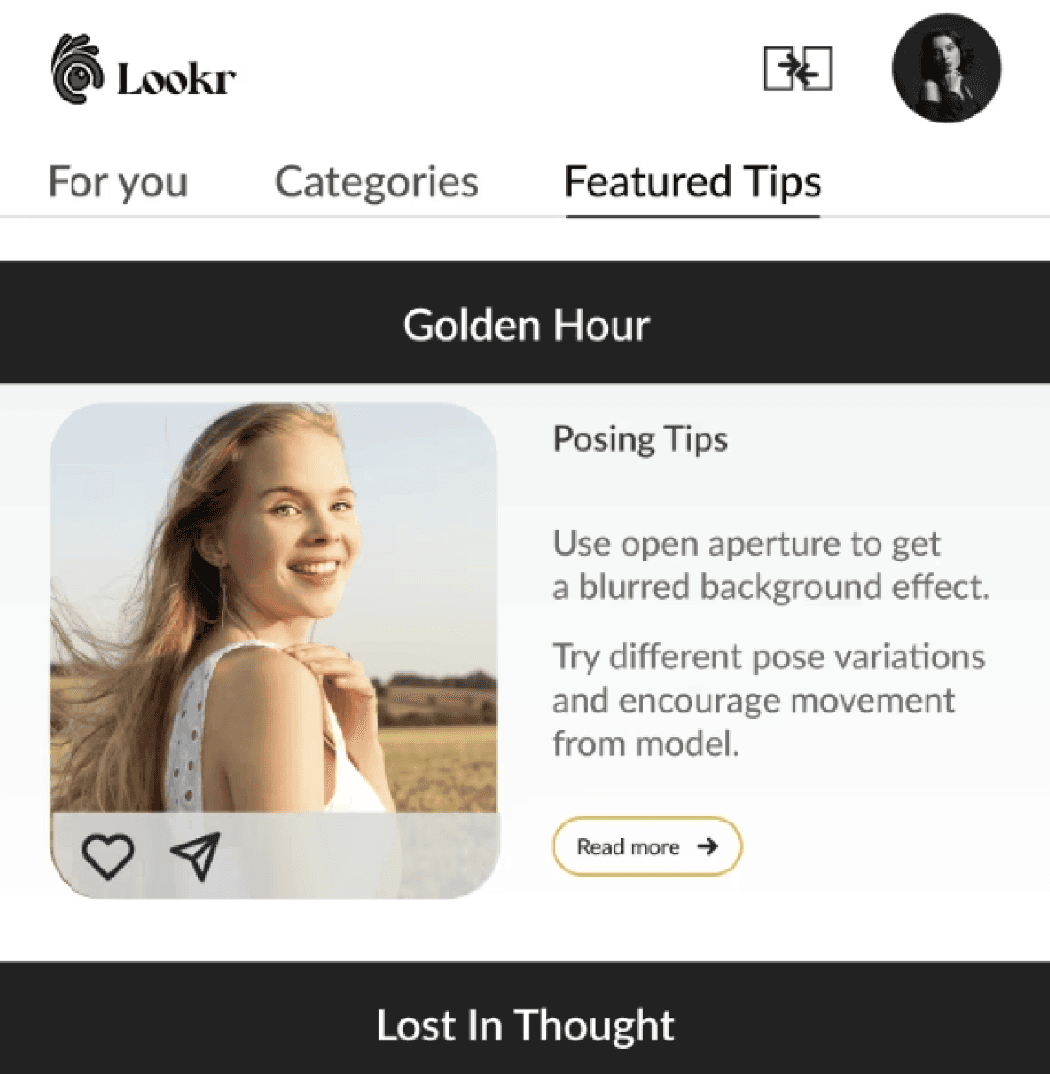
Featured tips to educate
A scroll of small posing and framing tips that spark quick ideas before the next shot.
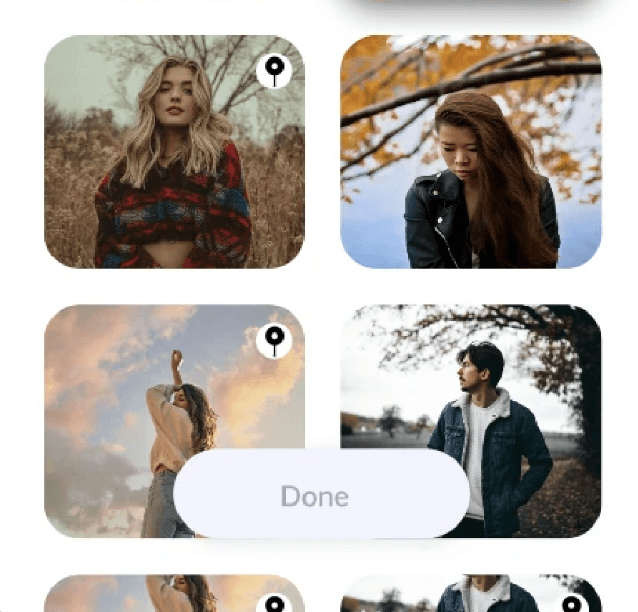
AI Suggestions for inspiration
AI based inspiration that matches the user’s surroundings, helping them discover photo ideas that feel in sync with the moment.

Pinned images for guidance
Keep user inspiration beside the lens, pin their favorite reference photos and shoot with ease and confidence.
The roadblocks
I faced
The roadblocks I faced
Every project comes with its own set of challenges, and this one taught me a lot about adapting and simplifying along the way.
Research phase
At first, it was hard to turn a vague thought like “people can’t find the right inspiration”, into something real. I started by talking to influencers and photographers. They shared problems like ideas not matching the place, bad lighting, and too many steps to get started. Listening to their stories helped me see what was really happening.
Ideation phase
Some of my early ideas felt too complicated for something that should feel easy and creative. Using red route analysis helped me refocus on what truly mattered that is capturing, finding, and saving inspiration quickly.
Design & testing phase
During usability testing, users liked the idea but often got lost between the camera and saved inspirations. I listened to tester feedback and made changes so the app feels more natural. Small fixes in layout made a big difference in how smooth it feels.
Every project comes with its own set of challenges, and this one taught me a lot about adapting and simplifying along the way.
Research phase
At first, it was hard to turn a vague thought like “people can’t find the right inspiration”, into something real. I started by talking to influencers and photographers. They shared problems like ideas not matching the place, bad lighting, and too many steps to get started. Listening to their stories helped me see what was really happening.
Ideation phase
Some of my early ideas felt too complicated for something that should feel easy and creative. Using red route analysis helped me refocus on what truly mattered that is capturing, finding, and saving inspiration quickly.
Design & testing phase
During usability testing, users liked the idea but often got lost between the camera and saved inspirations. I listened to tester feedback and made changes so the app feels more natural. Small fixes in layout made a big difference in how smooth it feels.
How I Began
How I Began
By researching
By researching
To explore existing solutions, I conducted a competitive audit of platforms creators commonly use for inspiration like Instagram, Pinterest, Lemon8, and Midjourney. The goal was to understand how these tools support inspiration discovery and where they fall short during real-time photo shoots. This audit highlighted a key gap: while these platforms offer rich inspiration libraries, they require creators to switch tools, save references manually, and mentally adapt ideas to their current environment.
To explore existing solutions, I conducted a competitive audit of platforms creators commonly use for inspiration like Instagram, Pinterest, Lemon8, and Midjourney. The goal was to understand how these tools support inspiration discovery and where they fall short during real-time photo shoots. This audit highlighted a key gap: while these platforms offer rich inspiration libraries, they require creators to switch tools, save references manually, and mentally adapt ideas to their current environment.



Midjourney
Midjourney
Lemon8
Lemon8
Spotting
struggle
Spotting struggle
To understand creator's real pain points, I began with desk research by reviewing 5 YouTube influencer videos where creators discussed their on-the-go shooting workflows. These videos revealed recurring struggles around finding relevant inspiration quickly, managing pose ideas while traveling, and recreating references during live shoots.
To understand creator's real pain points, I began with desk research by reviewing 5 YouTube influencer videos where creators discussed their on-the-go shooting workflows. These videos revealed recurring struggles around finding relevant inspiration quickly, managing pose ideas while traveling, and recreating references during live shoots.
“Make sure you spend a lot of time on instagram and Pinterest. Pull inspo that you like, try to find a similar location, try to replicate the poses. Show your friend or photographer so they know the exact poses and angles.”
“Make sure you spend a lot of time on instagram and Pinterest. Pull inspo that you like, try to find a similar location, try to replicate the poses. Show your friend or photographer so they know the exact poses and angles.”
-Influencer @christineleeee
-Influencer @christineleeee
“I want to take photos that match my feed. I don’t always know what matches my feed so I experiment and take a variety of photos in the same location with different angles.”
“I want to take photos that match my feed. I don’t always know what matches my feed so I experiment and take a variety of photos in the same location with different angles.”
-Influencer @lexiluxury
-Influencer @lexiluxury
“Portrait photographers usually act as “directors” while shooting. For the shoot to be successful, they have to take into account the location, mood, and the subject to come up with the right poses and lighting directions.”
“Portrait photographers usually act as “directors” while shooting. For the shoot to be successful, they have to take into account the location, mood, and the subject to come up with the right poses and lighting directions.”
Summary from portrait photographer @chris-orwig
Summary from portrait photographer @chris-orwig
By knowing
real creators
By knowing real creators
Next, I conducted user interviews with 9 creators (ages 18–24), including photographers and influencers, to understand their creative workflows in real shooting contexts. These conversations revealed recurring frustrations with tool-switching, mismatched inspiration, and the time spent preparing reference material before a shoot, often disrupting creative flow on location.
Next, I conducted user interviews with 9 creators (ages 18–24), including photographers and influencers, to understand their creative workflows in real shooting contexts. These conversations revealed recurring frustrations with tool-switching, mismatched inspiration, and the time spent preparing reference material before a shoot, often disrupting creative flow on location.
18 - 24 years
18 - 24 years
Photographer - 65%
Influencer
- 35%
Influencer
- 35%
Photographer
- 65%
Female - 13
Female - 13
Male - 7
Male - 7
Age group
Age group
Occupation
Occupation
Gender
Gender
What
stood out
What stood out
70%
~70% of participants expressed frustration with the lack of real-time inspiration that fits their current shooting environment.
70%
~70% of participants expressed frustration with the lack of real-time inspiration that fits their current shooting environment.
60%
~60% of participants struggled to recreate saved inspirations during live shoots, as lighting, location, and pose references often didn’t match their surroundings.
60%
~60% of participants struggled to recreate saved inspirations during live shoots, as lighting, location, and pose references often didn’t match their surroundings.
60%
~60% of participants relied on platforms like Instagram or Pinterest for inspiration but found it time-consuming to adapt those ideas during real-time shooting.
60%
~60% of participants relied on platforms like Instagram or Pinterest for inspiration but found it time-consuming to adapt those ideas during real-time shooting.
These insights showed a clear opportunity to help creators get relevant inspiration right when they’re shooting, instead of spending time preparing or switching between apps.
These insights showed a clear opportunity to help creators get relevant inspiration right when they’re shooting, instead of spending time preparing or switching between apps.
Red route
analysis
Red route analysis
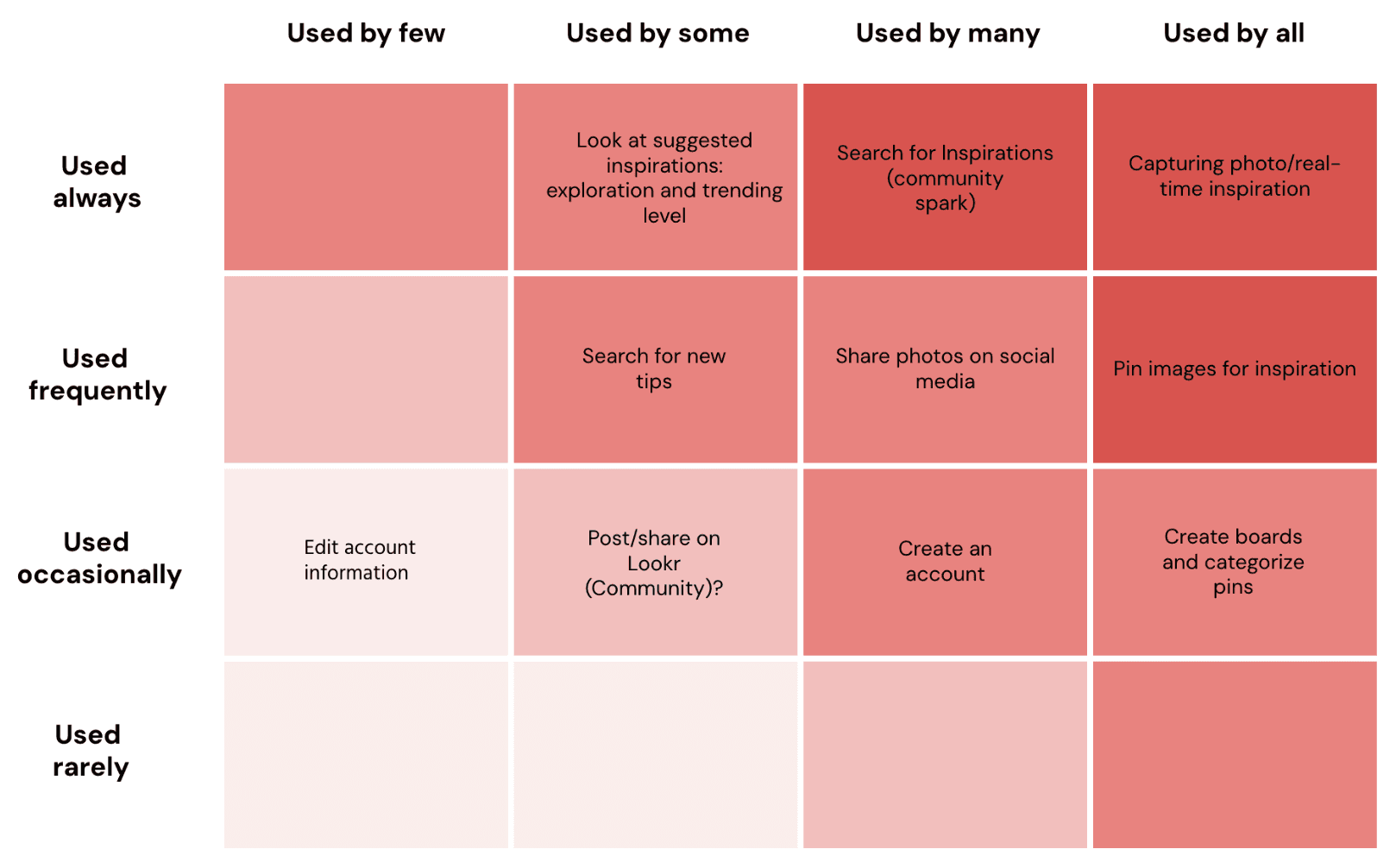
Finally, I mapped key user actions through a red route analysis, which helped me spot the critical tasks like how easily people could find, save, and use inspiration.
Finally, I mapped key user actions through a red route analysis, which helped me spot the critical tasks like how easily people could find, save, and use inspiration.
What the user
journey looks
like
What the user journey looks like
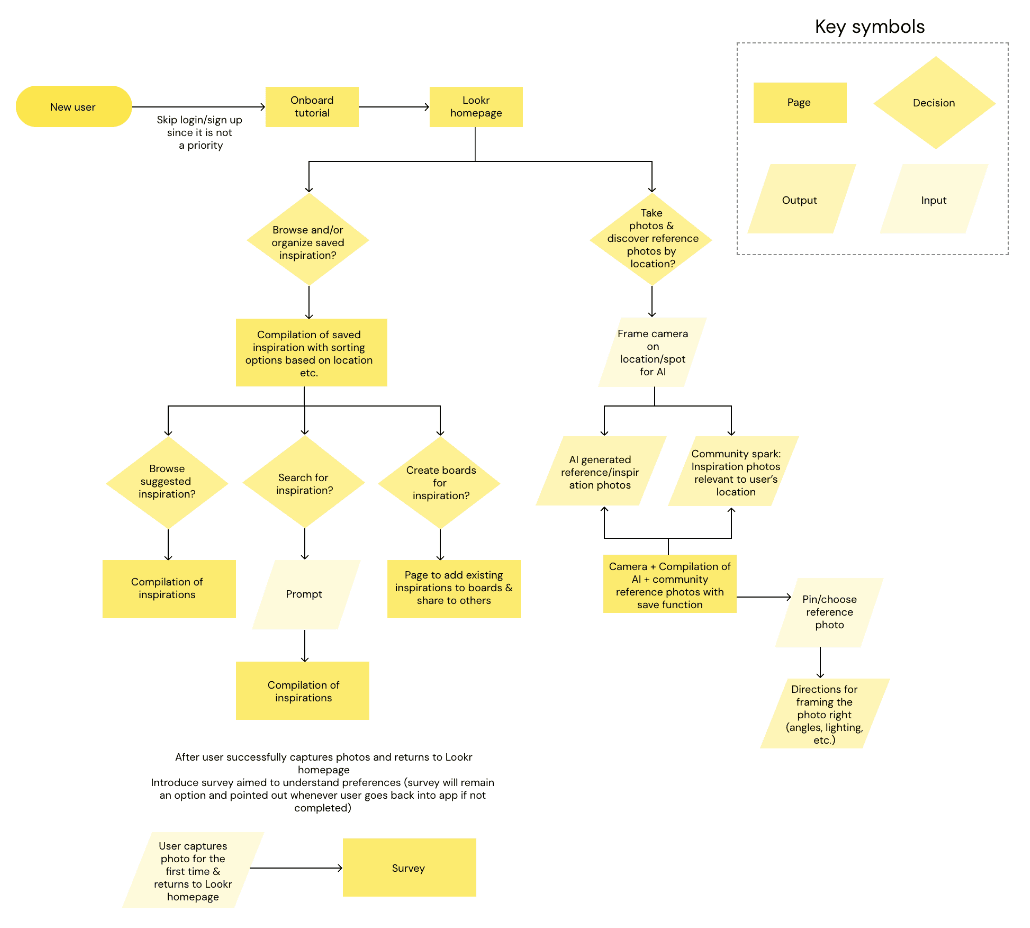
To understand how a creator would move through the app, I mapped out their journey from the first spark of inspiration to capturing the final shot.
To understand how a creator would move through the app, I mapped out their journey from the first spark of inspiration to capturing the final shot.
Where the
ideas started
to take shape
Where the ideas started to take shape
Low fidelity
Low fidelity
Goal
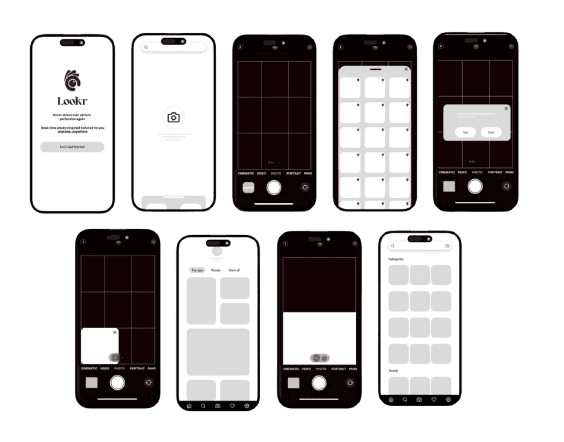
After analyzing the research data, I began exploring how the product could best support photographers and influencers in capturing real-time inspiration. My goal at this stage was to translate research insights into early visual ideas.
Goal
After analyzing the research data, I began exploring how the product could best support photographers and influencers in capturing real-time inspiration. My goal at this stage was to translate research insights into early visual ideas.
Approach
I started with quick sketches to visualize different layouts and interactions, which allowed me to iterate rapidly and experiment with multiple possibilities. From there, I developed low-fidelity wireframes focusing on structure, functionality, and content hierarchy.
Approach
I started with quick sketches to visualize different layouts and interactions, which allowed me to iterate rapidly and experiment with multiple possibilities. From there, I developed low-fidelity wireframes focusing on structure, functionality, and content hierarchy.
Insights
This process helped me identify the most essential elements for the experience: easy navigation, quick access to real-time inspiration, and a distraction-free interface.
Insights
This process helped me identify the most essential elements for the experience: easy navigation, quick access to real-time inspiration, and a distraction-free interface.
Designed
visuals
Designed visuals
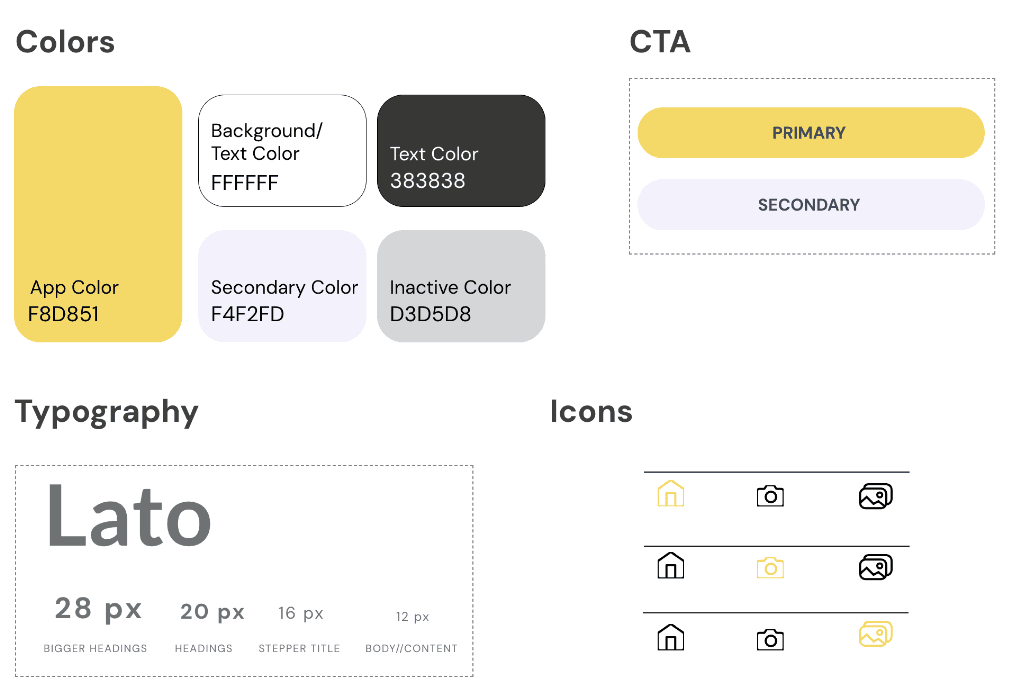
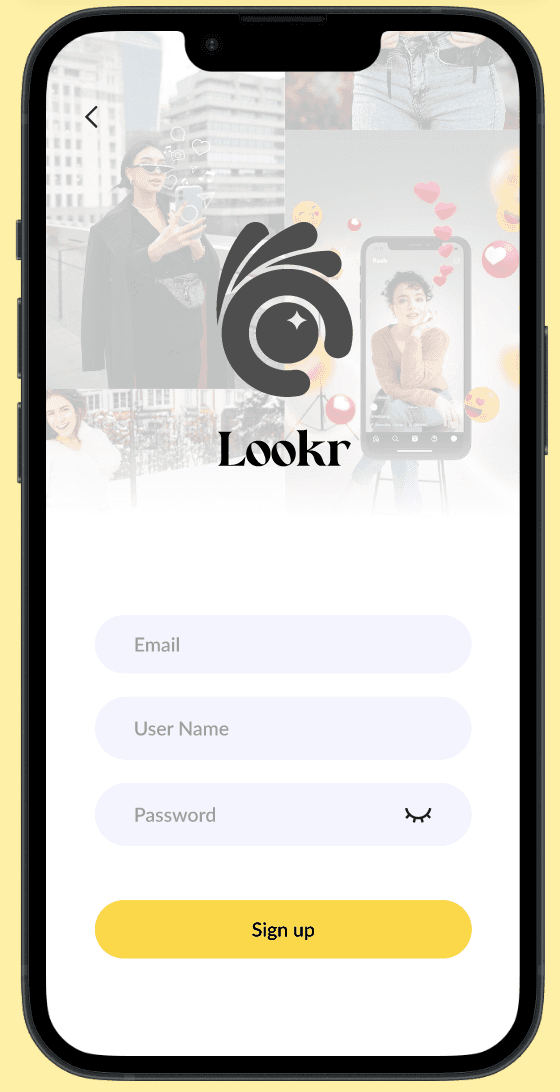
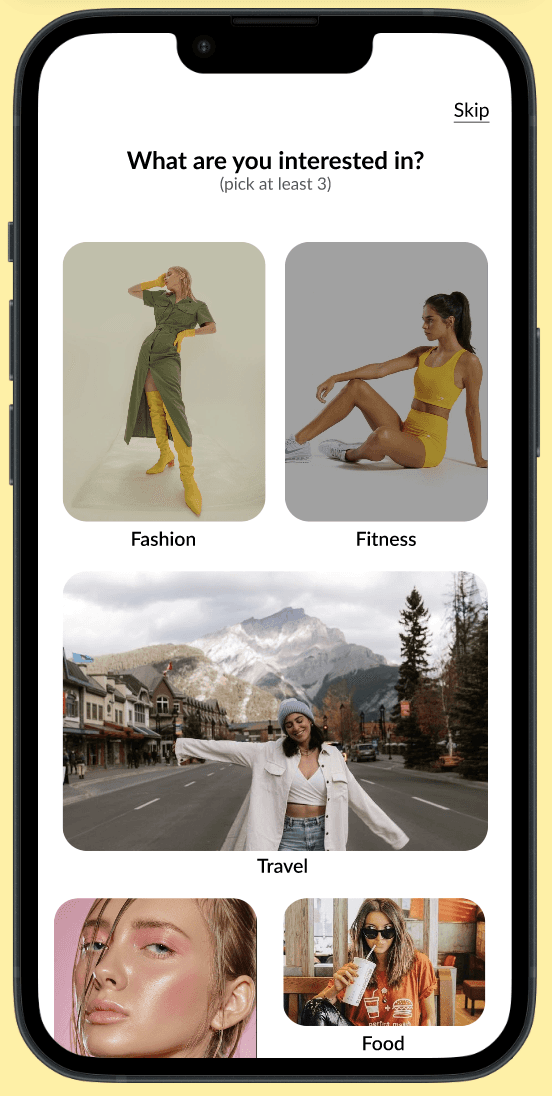
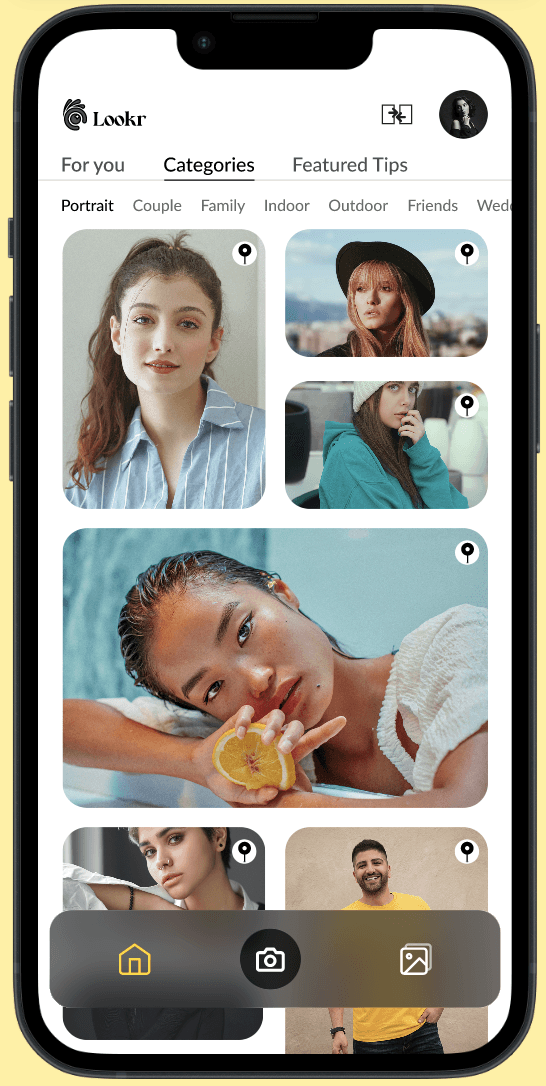
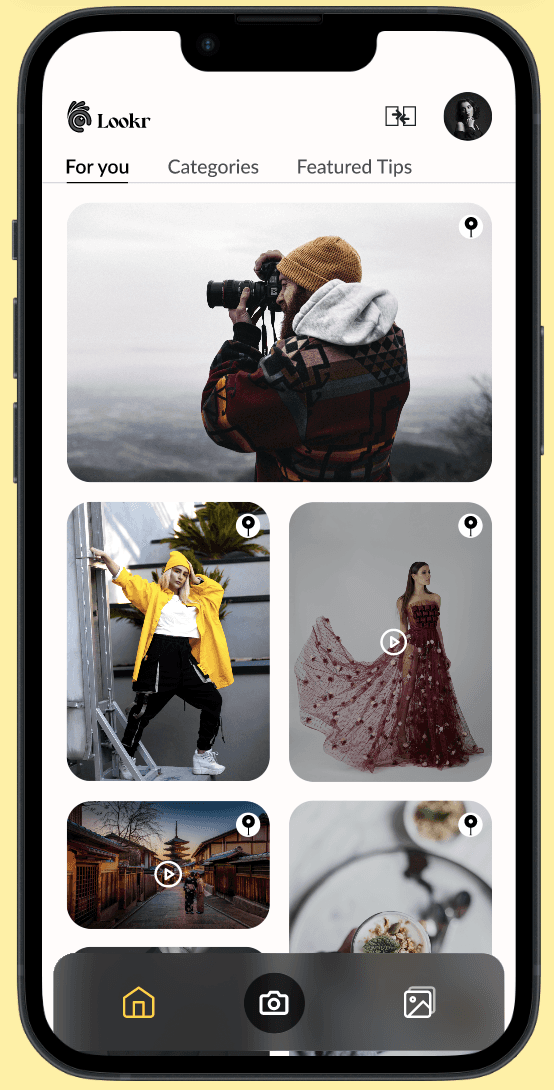
For the UI part, I chose bright yellow as the accent color to set an upbeat mood and it also represents the brand color. Big headings and clear typography to help everyone easily read instructions, even in the busy woking environment.
For the UI part, I chose bright yellow as the accent color to set an upbeat mood and it also represents the brand color. Big headings and clear typography to help everyone easily read instructions, even in the busy woking environment.
Now I wanted
to test the
experience
Now I wanted to test the experience
What I Did
I ran remote usability tests with 9 participants (18–24 years old) to observe how easily they could navigate the prototype and complete key actions like framing, pinning, and saving inspirations.
What I Did
I ran remote usability tests with 9 participants (18–24 years old) to observe how easily they could navigate the prototype and complete key actions like framing, pinning, and saving inspirations.
Why I Did It
To learn if users could intuitively explore the app, recognize icons, and capture inspiration without friction.
Why I Did It
To learn if users could intuitively explore the app, recognize icons, and capture inspiration without friction.
Product Concept
Product Concept
To study real-world
acceptance
To study real-world
acceptance
Icon Perception
Icon Perception
To refine clarity and
design language
To refine clarity and
design language
Friction Points
Friction Points
To uncover usability
gaps
To uncover usability
gaps
What I Learned
The idea of real-time inspiration resonated strongly with most participants.
What I Learned
The idea of real-time inspiration resonated strongly with most participants.
User 1
I liked the idea of the app
is just what’s needed for the
current trend.
User 1
I liked the idea of the app is just what’s needed for the current trend.
User 2
This makes my process so
much simpler!
User 2
This makes my process so
much simpler!
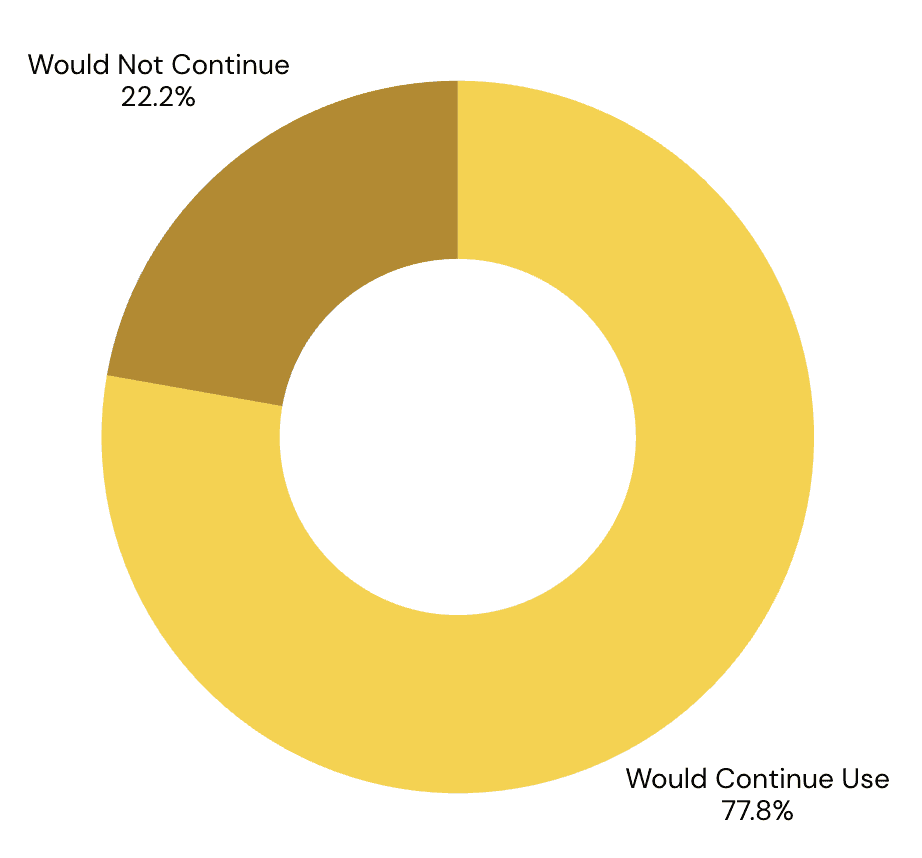
It was exciting to see most users (7 of 9 users) wanted to use the app, this told me I was on the right track.
It was exciting to see most users (7 of 9 users) wanted to use the app, this told me I was on the right track.
What I Discovered
After usability testing, I grouped feedback into three levels: major issues requiring immediate fixes, moderate improvements for usability clarity, and minor polish details. This helped me prioritize changes based on impact and user effort.
What I Discovered
After usability testing, I grouped feedback into three levels: major issues requiring immediate fixes, moderate improvements for usability clarity, and minor polish details. This helped me prioritize changes based on impact and user effort.
Major
Major
Moderate
Moderate
Missing link between start and home page.
Lack of clarity around menu options.
Hover options too small.
Missing link between start and home page.
Lack of clarity around menu options.
Hover options too small.
“Export to gallery” caused confusion.
Scroll behavior not intuitive.
Purpose of “Recent” unclear.
“Export to gallery” caused confusion.
Scroll behavior not intuitive.
Purpose of “Recent” unclear.
Font size too small.
Missing initial guide.
Inconsistent capitalization.
Minor
Font size too small.
Missing initial guide.
Inconsistent capitalization.
Minor
Usability testing feedback directly informed the design iterations, helping prioritize changes that reduced friction and improved speed during real-time shooting.
Usability testing feedback directly informed the design iterations, helping prioritize changes that reduced friction and improved speed during real-time shooting.
How It all
came together
How It all came together
High fidelity
High fidelity
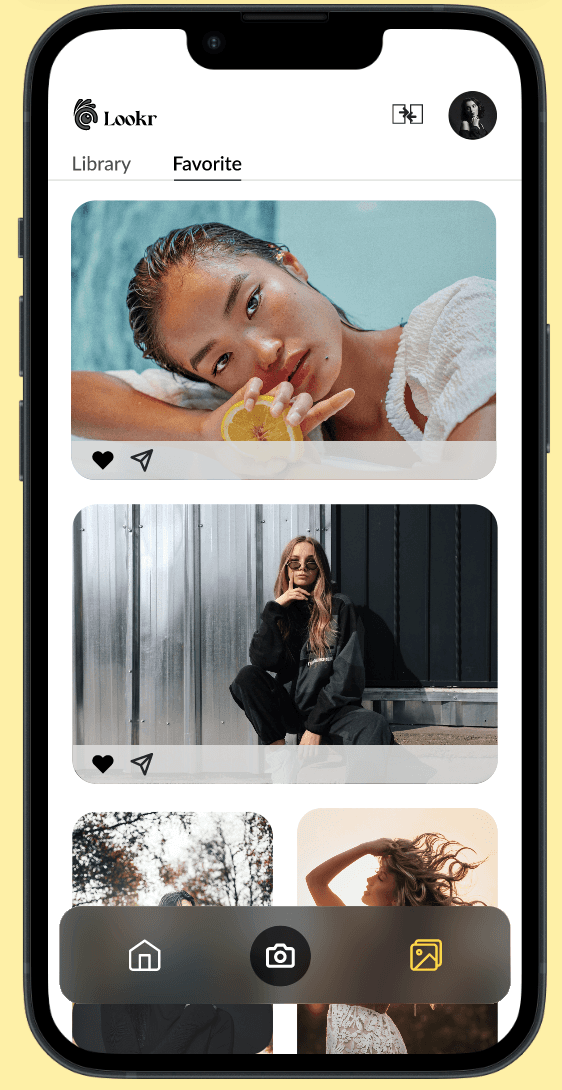
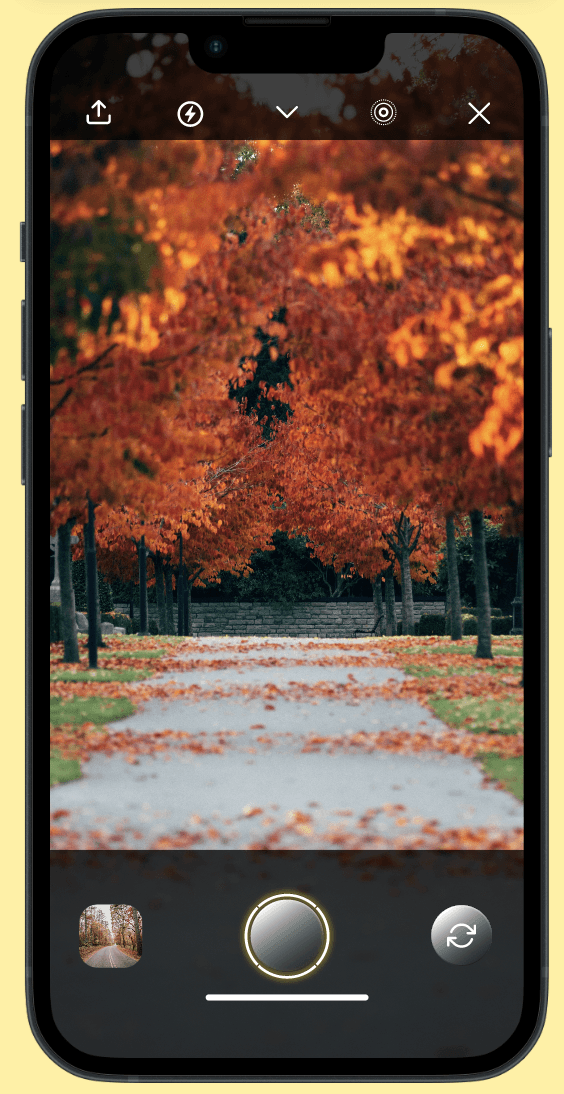
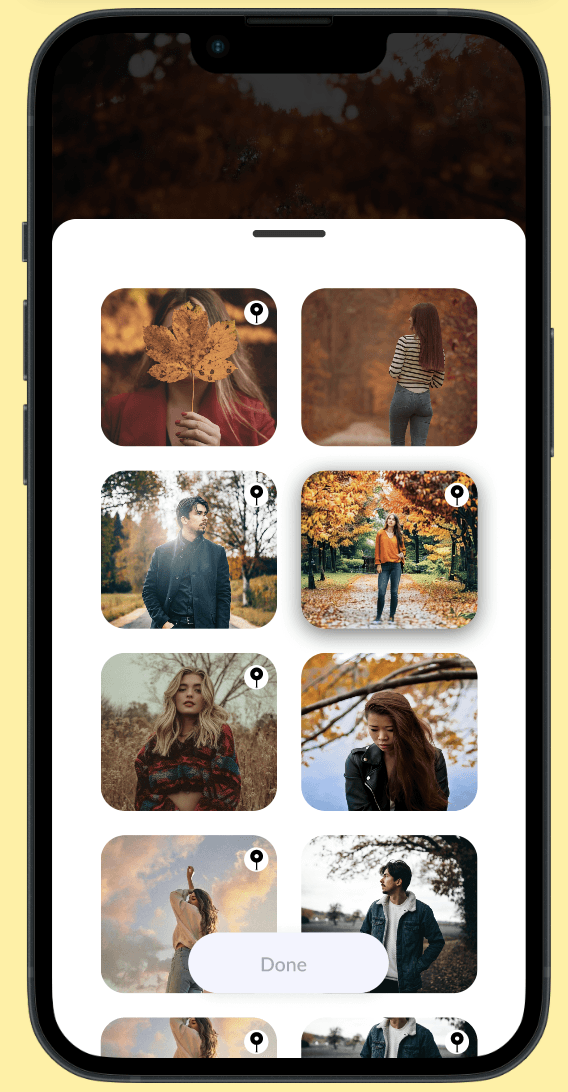
What did I Change?
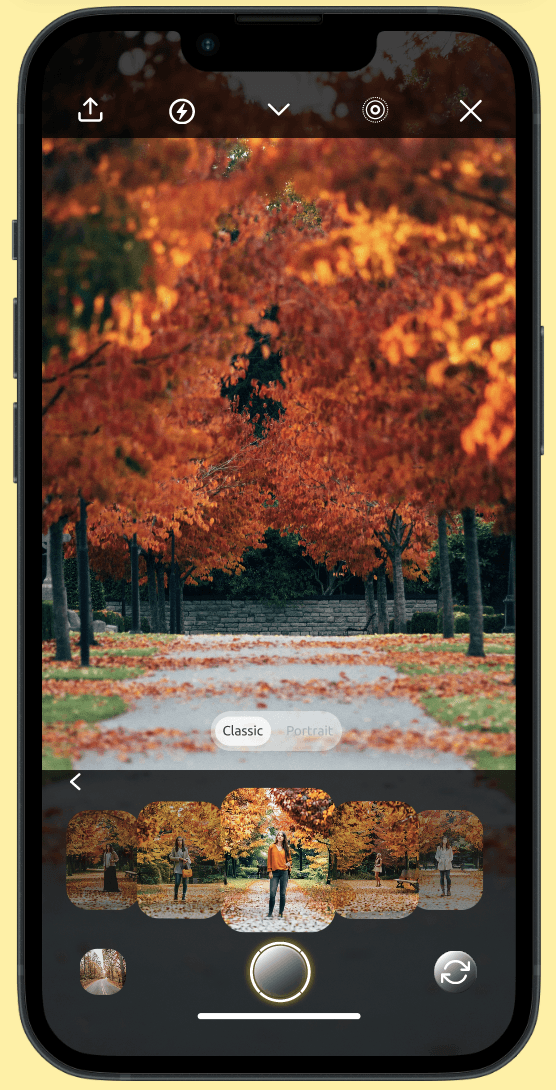
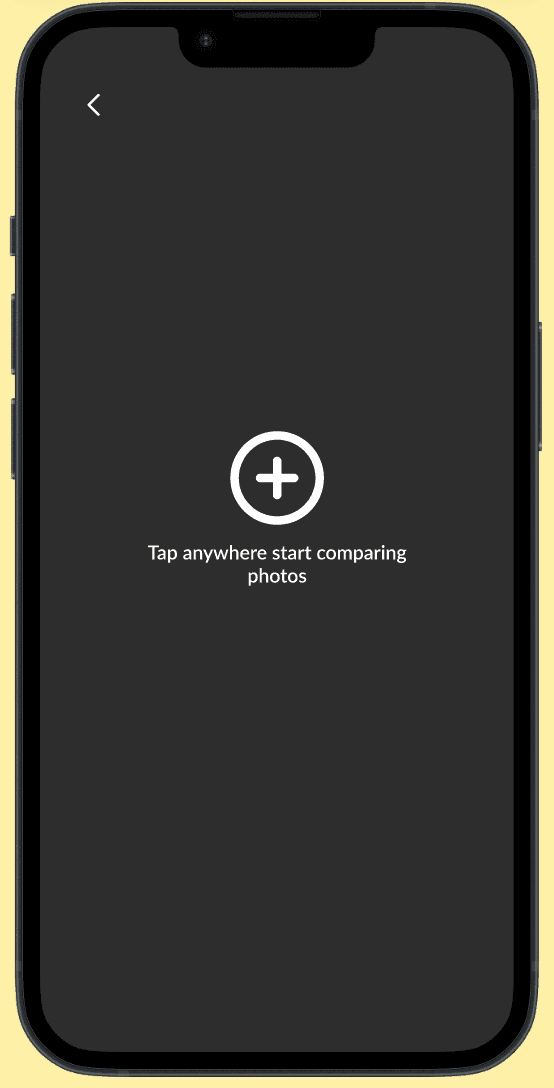
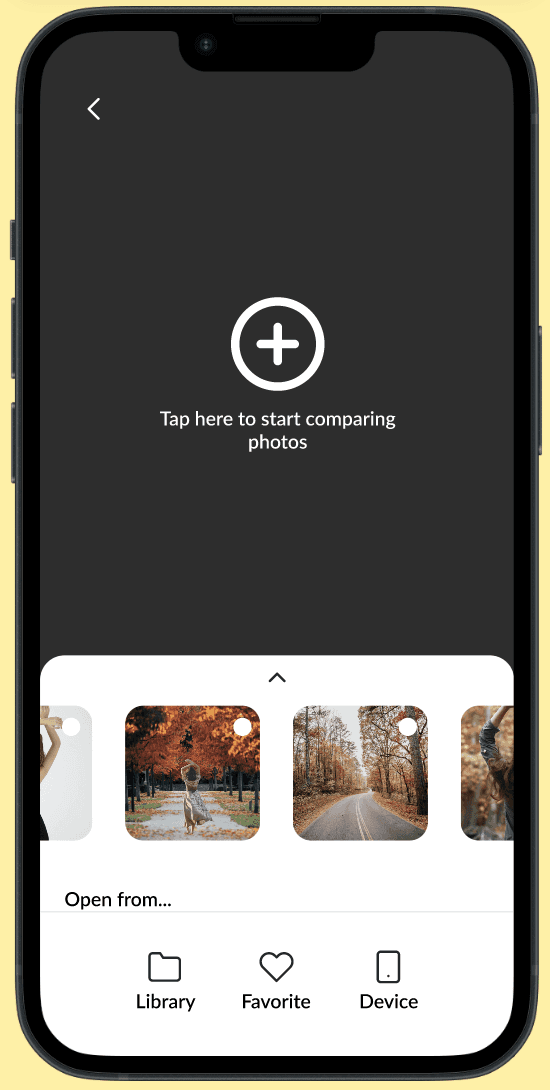
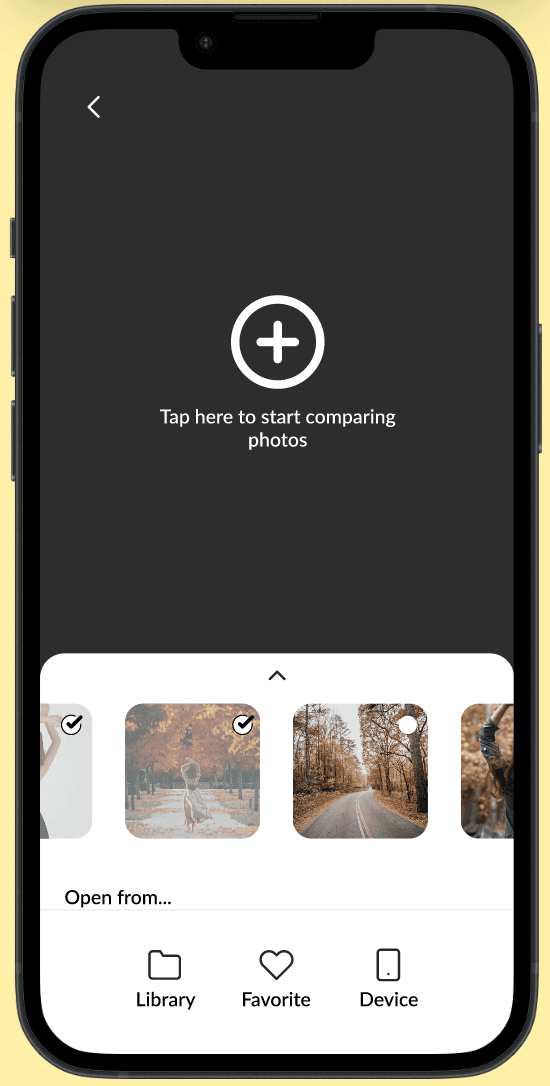
Surfaced image comparison earlier:
The image comparison feature was initially hidden until users completed taking photos. Based on feedback, this action was moved to the home screen to make it easier to access during active shooting.
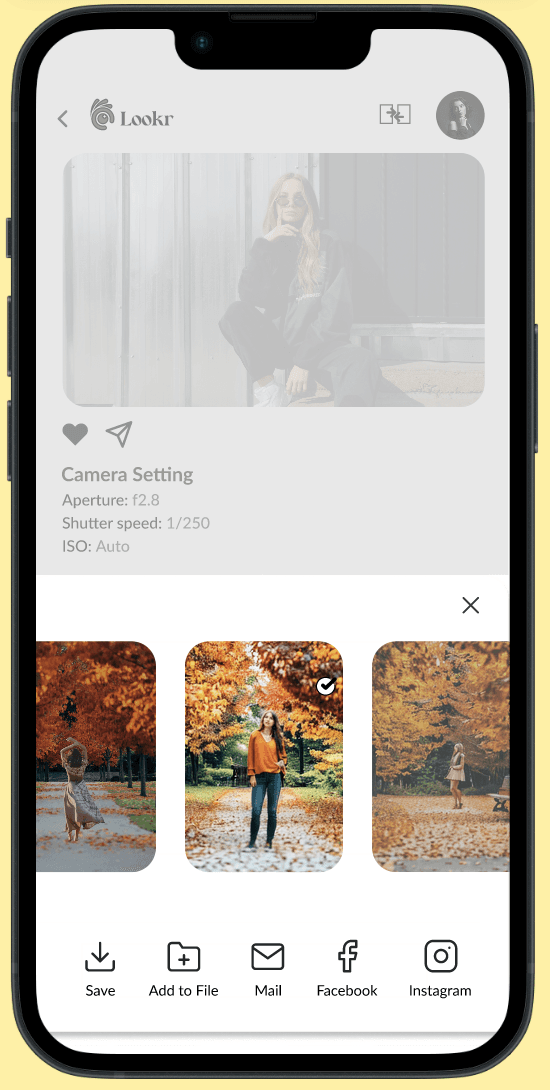
Simplified preview → share flow:
The previous flow required users to open images in a separate screen before sharing. This was redesigned so users could view, save, and share images directly, reducing unnecessary navigation.
What did I Change?
Surfaced image comparison earlier:
The image comparison feature was initially hidden until users completed taking photos. Based on feedback, this action was moved to the home screen to make it easier to access during active shooting.
Simplified preview → share flow:
The previous flow required users to open images in a separate screen before sharing. This was redesigned so users could view, save, and share images directly, reducing unnecessary navigation.
Why were these changes made?
Participants struggled to locate key actions quickly and felt slowed down by extra steps when comparing or sharing images during a shoot. These changes focused on keeping users in flow while reducing decision-making effort.
Why were these changes made?
Participants struggled to locate key actions quickly and felt slowed down by extra steps when comparing or sharing images during a shoot. These changes focused on keeping users in flow while reducing decision-making effort.
What was the outcome?
These iterations reduced cognitive load and improved the speed at which users could access and compare inspiration. After the changes, users were able to reach comparison features faster and with less effort during a shoot.
What was the outcome?
These iterations reduced cognitive load and improved the speed at which users could access and compare inspiration. After the changes, users were able to reach comparison features faster and with less effort during a shoot.
Screen 1: Splash page 1
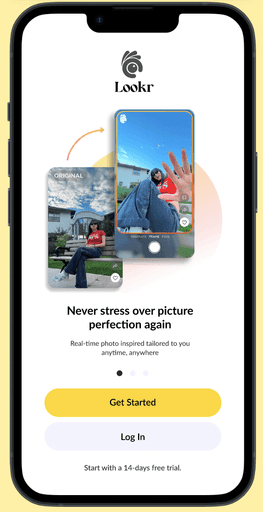
Screen 1: Splash page 1
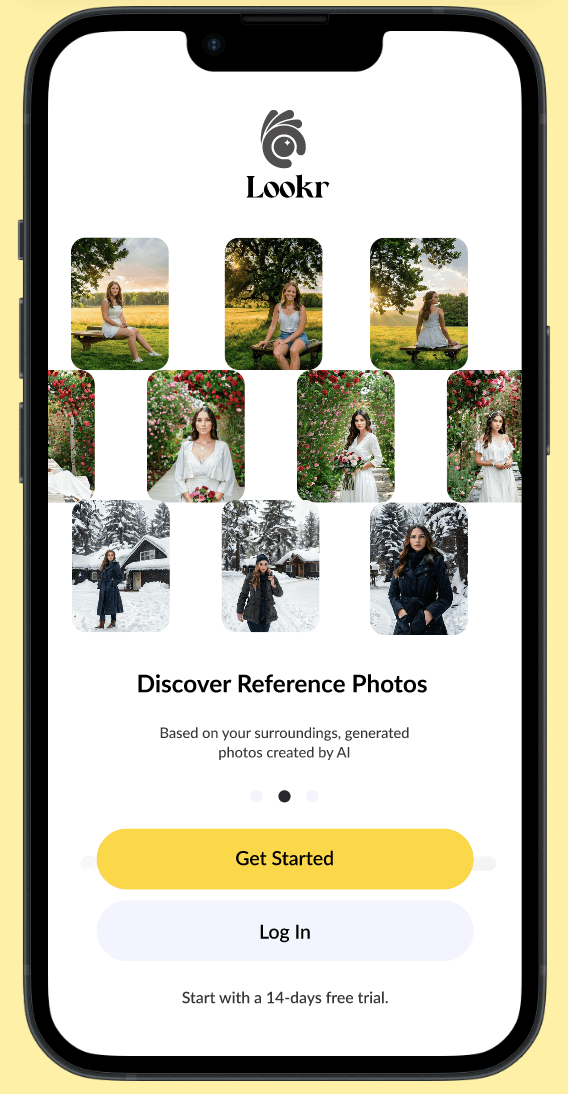
Screen 1: Splash page 1
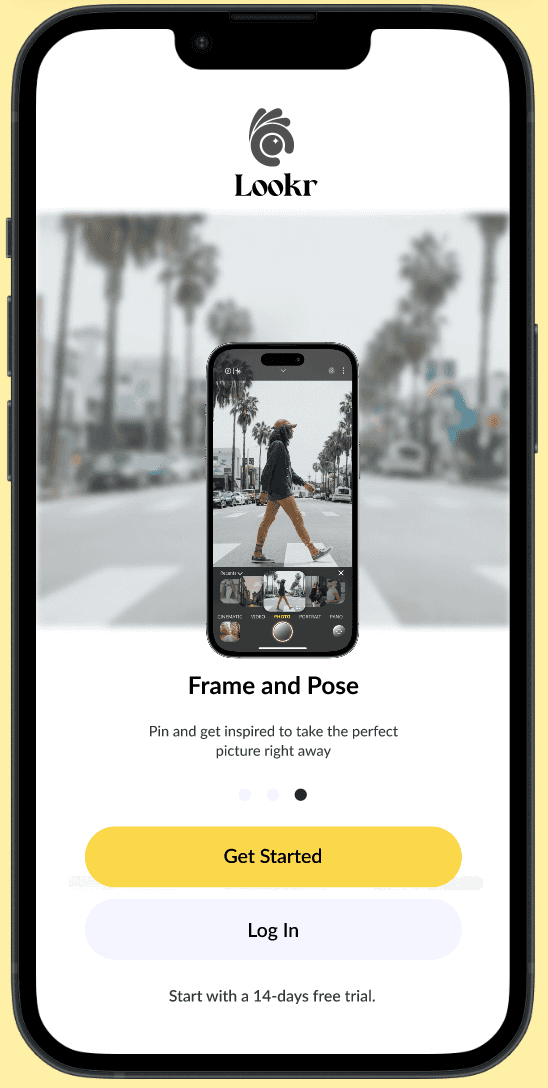
Screen 1: Splash page 1
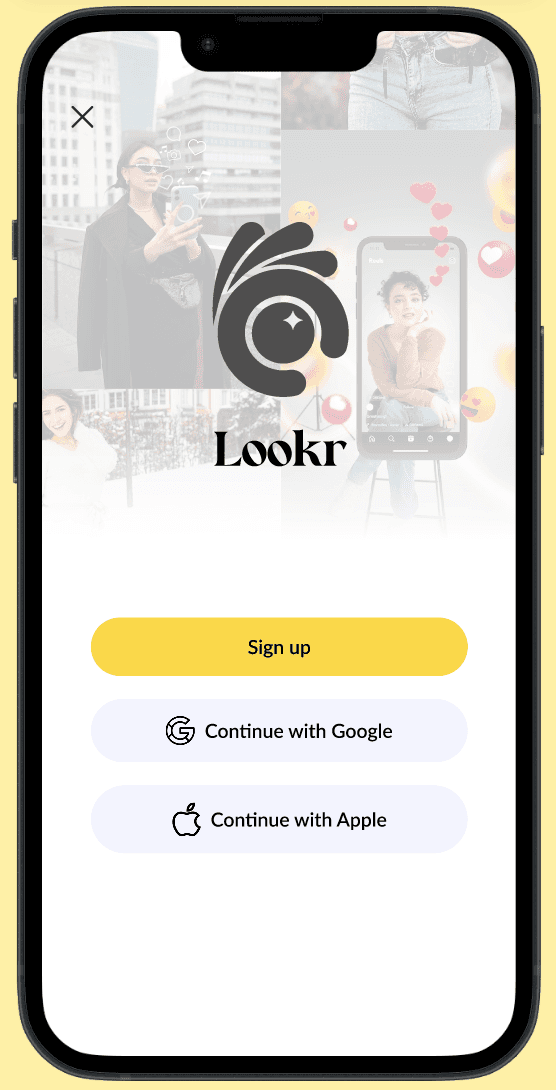
Screen 1: Splash page 1
Screen 1: Splash page 1
Screen 1: Splash page 1
Screen 1: Splash page 1
Screen 1: Splash page 1
Screen 1: Splash page 1
Screen 1: Splash page 1
Screen 1: Splash page 1
Screen 1: Splash page 1
Screen 1: Splash page 1
Screen 1: Splash page 1
Screen 1: Splash page 1
Screen 1: Splash page 1

Screen 1: Splash page 1
Screen 1: Splash page 1
Screen 1: Splash page 1
Screen 1: Splash page 1
Screen 1: Splash page 1
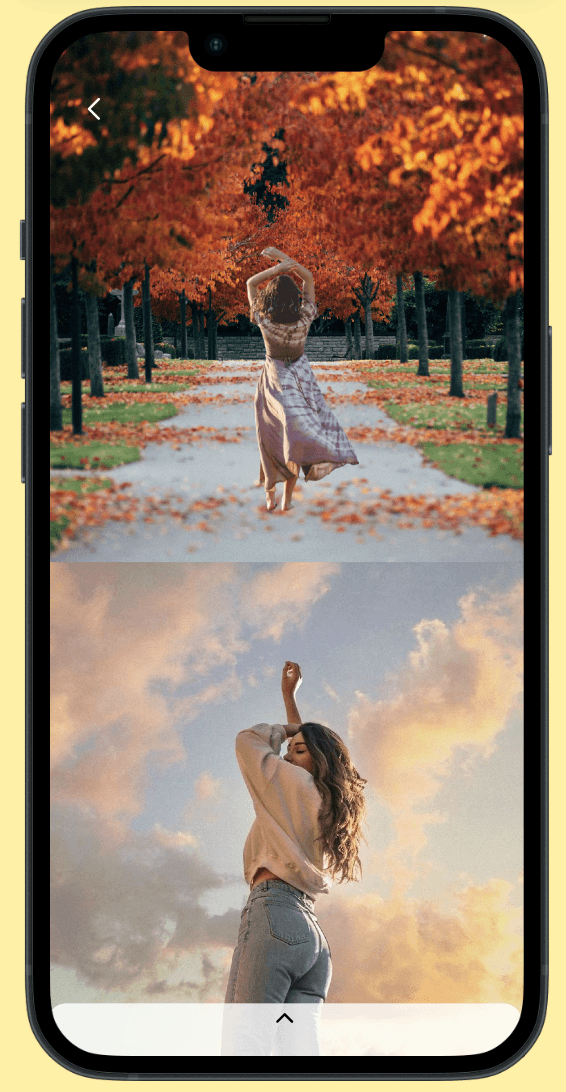
Screen 1: Splash page 1
Screen 1: Splash page 1
Screen 1: Splash page 1
Screen 1: Splash page 1
Screen 1: Splash page 1
Screen 1: Splash page 1
Screen 1: Splash page 1
Screen 1: Splash page 1
Screen 1: Splash page 1
Screen 1: Splash page 1
Screen 1: Splash page 1
Screen 1: Splash page 1
Screen 1: Splash page 1
Screen 1: Splash page 1
Screen 1: Splash page 1
Screen 1: Splash page 1
Screen 1: Splash page 1
Screen 1: Splash page 1
Screen 1: Splash page 1
Screen 1: Splash page 1
Screen 1: Splash page 1
Screen 1: Splash page 1
Screen 1: Splash page 1
Screen 1: Splash page 1
Screen 1: Splash page 1
Screen 1: Splash page 1
Screen 1: Splash page 1
Screen 1: Splash page 1
Screen 1: Splash page 1
Screen 1: Splash page 1
Screen 1: Splash page 1
Screen 1: Splash page 1
Screen 1: Splash page 1
Screen 1: Splash page 1
Screen 1: Splash page 1
Screen 1: Splash page 1
Screen 1: Splash page 1
Screen 1: Splash page 1
Screen 1: Splash page 1
Screen 1: Splash page 1
Screen 1: Splash page 1
Screen 1: Splash page 1
Screen 1: Splash page 1
Screen 1: Splash page 1
Screen 1: Splash page 1
Screen 1: Splash page 1
Screen 1: Splash page 1
You can explore the prototype here! Lookr it walks through the key interactions and flow I designed.
You can explore the prototype here! Lookr it walks through the key interactions and flow I designed.
Working on this project taught me how powerful user feedback can be in shaping design decisions. What started as a simple idea to help photographers and influencers stay inspired turned into a complete product journey, from sketches and wireframes to usability testing and final designs.
Presenting the final screens to the stakeholder was rewarding, but what stayed with me most was seeing how small iterations made a big difference in clarity and flow. It reminded me that good design is built through curiosity, testing, and constant refinement.
Working on this project taught me how powerful user feedback can be in shaping design decisions. What started as a simple idea to help photographers and influencers stay inspired turned into a complete product journey, from sketches and wireframes to usability testing and final designs.
Presenting the final screens to the stakeholder was rewarding, but what stayed with me most was seeing how small iterations made a big difference in clarity and flow. It reminded me that good design is built through curiosity, testing, and constant refinement.